DATA PROTECTION TRENDS, NEWS & BACKUP TIPS
When “It’s in the Cloud” Becomes a Recovery Problem
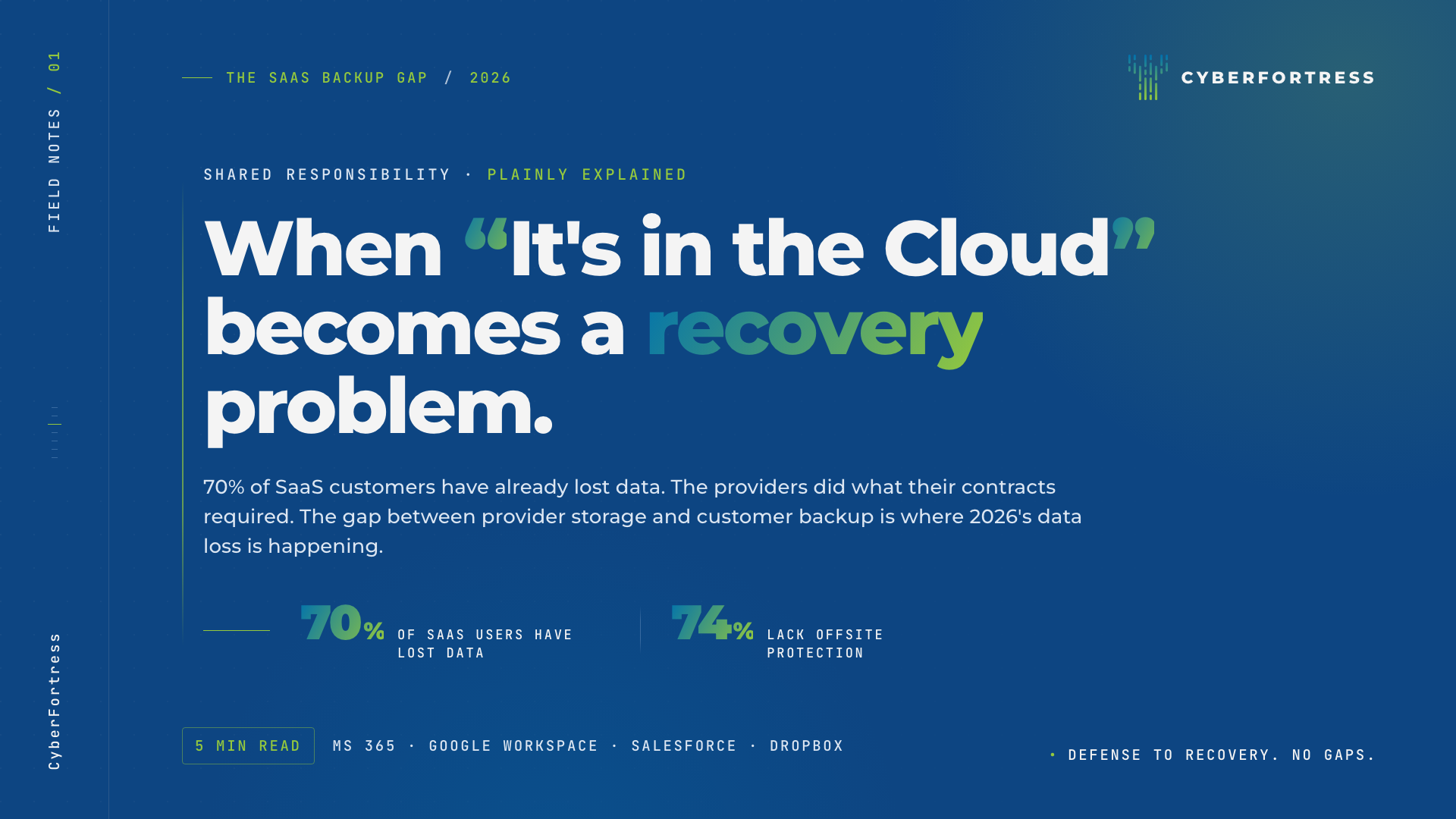
Most data loss conversations in 2026 still circle a misunderstanding that ought to have been retired a decade ago. The misunderstanding is the quiet conflation of a SaaS provider’s storage with a customer’s backup. The two operate under different responsibilities, and the gap between them is where a steadily growing share of the year’s data loss is happening.
The numbers are striking. Reporting from MSP360, Kaseya, and Analytics Insight in early 2026 found that 70% of businesses using SaaS apps have lost data from those apps, and 74% lack offsite data protection for that data. The 70% number describes typical small and mid-sized businesses running Microsoft 365, Google Workspace, Salesforce, Dropbox, and the rest of the standard stack.
The Vercel breach in April 2026 brought the issue into sharper focus. The initial compromise happened at Context.ai through a Lumma Stealer infection, then pivoted via Google Workspace OAuth tokens into a downstream supply chain incident. The attackers never had to break into Google. The valid OAuth tokens, granted by ordinary administrative consent, gave them what they needed without any direct compromise of the underlying platform.
The Shared Responsibility Model in Plain English
Every major SaaS provider publishes a shared responsibility model that explains what they protect and what the customer protects. Most customers have not read it. The summary, in plain language, is short.
The provider is responsible for keeping the service running. They handle uptime, infrastructure security, the physical data center, and the resilience of their own platform.
The customer is responsible for the data they put in the service. That includes accidental deletion, malicious deletion, ransomware-driven destruction, OAuth-token abuse, configuration errors, departing employees, and recovery beyond the provider’s native retention windows.
The default retention windows are short. Microsoft 365 keeps deleted items for 30 to 93 days depending on the configuration. Google Workspace defaults are similar. Salesforce stopped offering data restoration as a service in 2020. After those windows close, the data is gone, and the provider is not the party responsible for getting it back.
Three Scenarios That Get Most Businesses
A few real-world data loss patterns appear consistently in 2026 SaaS incidents.
Accidental deletion at scale. An administrator runs a cleanup script that targets the wrong folder, the wrong group, or the wrong tenant. By the time anyone notices, the deletions have replicated through the service and the retention window has begun to count down. Without an offsite backup, the only recovery path is whatever the provider’s native retention will surrender, and the answer is usually not enough.
Malicious insider or compromised account. A departing employee or an attacker with valid credentials deletes, exfiltrates, or modifies data. The actions are taken by an authenticated user, which means the SaaS provider’s logs treat the events as normal traffic. The provider has no obligation to undo the work.
OAuth token compromise. The Vercel incident is the canonical example for 2026. A third-party application, granted ordinary administrative consent, gets compromised somewhere upstream. The attacker uses the valid OAuth tokens to read, copy, or modify data inside the customer’s environment. The SaaS provider sees authenticated API traffic and processes it. The customer’s data leaves before anyone realizes which integration was the gap.
In each scenario, a third-party backup posture would have made the data recoverable on the customer’s terms. Without one, the recovery options narrow to whatever the provider’s native retention happens to allow.
What an Adequate SaaS Backup Posture Looks Like
The architecture that closes the gap is straightforward, even if the conversation about it has been slow to mature.
Independent storage outside the SaaS provider. The recovery copy of Microsoft 365, Google Workspace, or Dropbox data has to live somewhere the SaaS provider does not control. If the provider is the only custodian, the customer’s recovery options are constrained by the provider’s policies.
Retention that matches the business need, rather than the SaaS default. Most regulated industries, and most businesses with audit obligations, need retention windows measured in years instead of weeks. A backup architecture that holds the data for as long as the business actually requires closes a problem native retention does not.
Granular restore. Recovery in real incidents is rarely about the entire tenant. The work is usually about a specific user’s mailbox, a specific shared drive, a specific time window before a destructive action. The backup posture that helps in practice is the one that allows targeted restore at the level of files, folders, and individual user accounts.
Coverage that includes endpoint sync. OneDrive, Google Drive, and Dropbox folders sync to laptops and phones, and the data living on those endpoints is just as exposed to ransomware and accidental loss as the data in the cloud. Endpoint backup that covers the synced folders closes a class of failure most pure-cloud backup tools miss.
How CyberFortress Approaches the SaaS Gap
CyberFortress endpoint backup covers OneDrive, Google Drive, and Dropbox alongside the rest of the laptop and server estate, with immutable retention in geo-separated vaults and 24/7 U.S.-based recovery specialists on call. The Trinity Platform brings that backup capability together with managed detection and response, so a stolen credential or a compromised OAuth token does not silently translate into a data-loss event.
What matters now in backup is whether the customer controls a copy that an attacker, an administrator, or a misconfigured automation cannot reach. The question of whether storage exists somewhere has long since stopped being the interesting one.
Three Questions Worth Asking About Your SaaS Stack
Three questions are worth taking into the next IT or operations meeting.
If a Microsoft 365 administrator deleted a critical mailbox tomorrow and the deletion replicated for 31 days, what could we recover, and from where?
Which third-party applications have OAuth tokens granted into our Google Workspace or Microsoft 365, and have we audited what each of them can read or modify?
For our most sensitive SaaS data, do we have a copy outside the provider, with retention that matches our business need rather than the provider’s default?
The companies that lost data in 2026 SaaS incidents lost it because the responsibility model handed them the recovery problem and they had not picked it up. The providers, in most cases, did exactly what their service-level commitments required.