Small Business Endpoint Backup After Device Loss
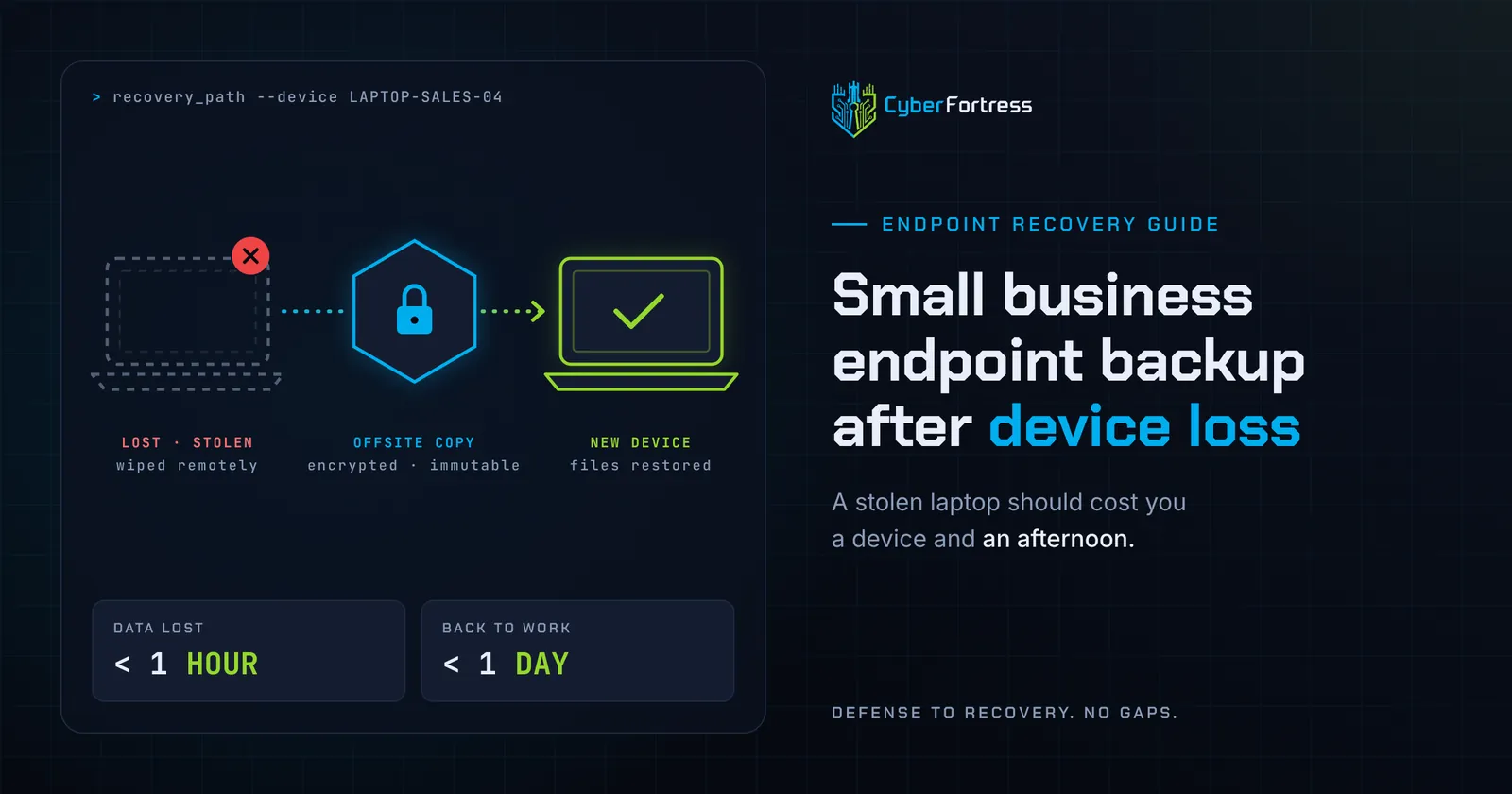
Endpoint backup works when it is continuous, encrypted, offsite, independent of the device, and tested. A stolen laptop should cost you a device and an afternoon. That outcome gets designed in advance, long before the device goes missing.
Why is endpoint data the most exposed data you own?
Because it travels, it rarely sits on a server, and it is often the only copy. Laptops leave the building, sit in cars, use hotel networks, and hold working files that never reach a shared drive.
Servers get redundancy, monitoring, and a maintenance window. Workstations get whatever the user remembered to save, and the working file that decides a client relationship is usually on the desktop of the person who travels most.
What does good endpoint backup include?
- Continuous or hourly protection, so recovery loses minutes of work.
- Backup that runs on any network, including the hotel Wi-Fi where the laptop spends half its life.
- Encryption in transit and at rest, with keys you control, so a lost device is not a disclosure event.
- Storage isolated from the device and from your production credentials, ideally immutable.
- Coverage for user profile locations people actually use, including desktop, documents, downloads, and local project folders.
- Self-service restore for single files, plus assisted recovery for a full device rebuild.
- Reporting that shows every protected endpoint and flags any device that has not checked in.
That last one earns its place the day a laptop disappears and you learn it stopped backing up in June. CyberFortress builds this as endpoint backup and recovery, with a dedicated path for the lost, stolen, or damaged laptop scenario.
How does this connect to laptop security more broadly?
Backup answers availability. Confidentiality needs its own controls. Pair it with full-disk encryption, remote wipe through your device management tool, screen lock policies, and multi-factor authentication on business accounts.
Data loss prevention and workstation data protection are the same project viewed from two angles. Keep the data recoverable for you, and keep it unreadable to whoever is holding the hardware tonight.
What recovery targets should you set?
Aim to have a replacement device productive within one business day, with files restored to within an hour of the loss. Write those targets down, then test them once a quarter by recovering a real machine.
A recovery target nobody has measured is a number somebody hoped for in a meeting. Set it up on a quiet Tuesday, while nothing is on fire, and start with RTO and RPO objectives explained.
What about hard drive failure?
Treat it as the same event with less drama. Drives fail without warning and RAID is not backup, so the recovery path is identical: restore from an offsite copy to a new device.
Theft adds a security response and a possible notification obligation, which is the one difference that reaches your lawyers.
Frequently asked questions
Does OneDrive or Google Drive cover a stolen laptop? Partly. Synced folders come back, anything outside them stays gone, and version history is limited. Endpoint backup covers the whole profile, including the local project folder where the real work usually sits.
How often should laptops back up? Continuously or at least hourly while powered on. Daily is acceptable for low-change devices, and it means the person who lost the laptop redoes a day.
Next step
CyberFortress endpoint backup runs on any network, stores copies your production credentials cannot reach, and puts a live U.S.-based specialist on the rebuild.
Prove Your Recovery · Test Your Fortress
Related reading: Endpoint data protection guide
A backup you have never restored is a guess. Trinity turns it into proof.
Seven questions show where your recovery plan stands today. Or skip ahead and talk to a CyberFortress recovery specialist about your environment.
More from the Fortress
-
Whose Database Is Your Data In?
FulcrumSec published roughly 8.8 million people’s data from Manchester Airports Group over the first weekend of September 2026,…
-
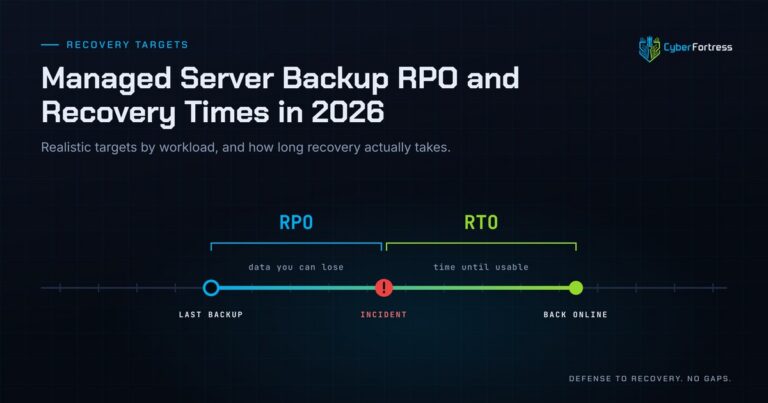
Managed Server Backup RPO and Recovery Times in 2026
For a 200-person company in 2026, a reasonable managed server backup posture is a 15-minute to 4-hour RPO…
-
Outsourcing Server Backups in 2026 Full Guide
Outsourcing server backups works when the contract covers monitoring, remediation, verified restore testing, immutable offsite storage, and assisted…
-
You Can’t Out-Patch an Attacker That Adapts in 31 Seconds
Researchers have documented what they are calling JadePuffer: a ransomware operation reportedly run end-to-end by an autonomous LLM…