How to Create a Disaster Recovery Plan Step by Step
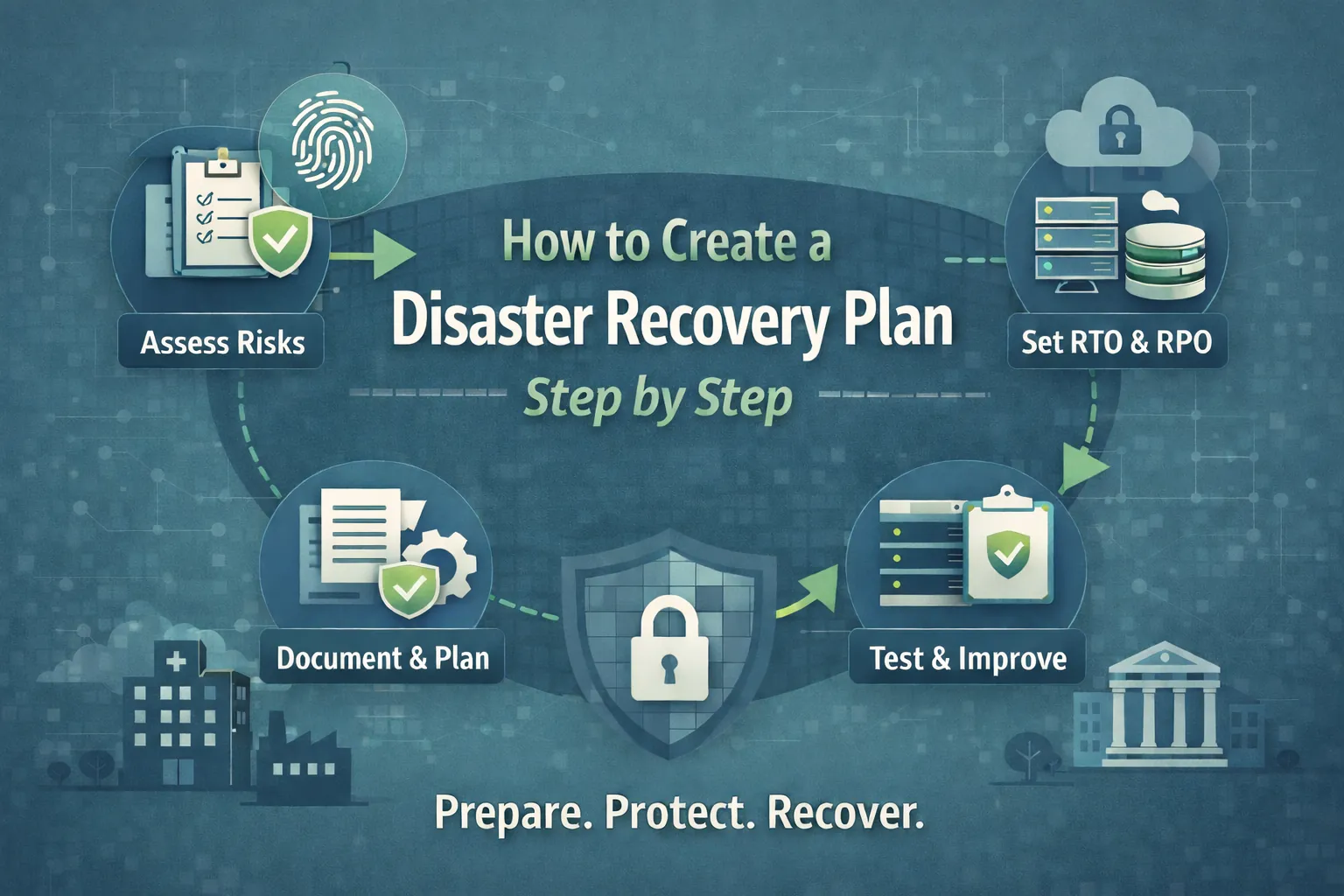
Building a disaster recovery plan takes nine steps: align leadership on priorities, assign roles to a DR team, define the disasters you are planning for, run a business impact analysis, set RTO and RPO targets per system, choose backup and replication and failover strategies, document runbooks that work under pressure, test regularly, and consider DRaaS if recovery targets are measured in hours or minutes. Just over half of organizations report having a documented company-wide plan.
Key Takeaways
- Just over half of organizations report having a documented, company-wide disaster recovery plan in place, and Uptime Institute’s 2024 survey found 54% of respondents said their most recent significant outage cost more than $100,000.
- ITIC’s 2024 report notes that 90% of organizations say an hour of downtime costs more than $300,000, with many reporting considerably more.
- A business impact analysis is where the plan becomes real. Inventory critical applications, critical data, infrastructure dependencies such as identity provider and DNS and VPN, and third-party dependencies, then rank each by impact at one hour, one day, and one week of downtime.
- RTO and RPO drive architecture rather than describe it. An RPO of minutes rules out daily backups, and an RTO of minutes requires pre-staged recovery, automation, and tested runbooks.
- Physical disasters remain a business risk. SBA guidance notes 25% of businesses do not reopen after a disaster, and FEMA-related figures cited by the Insurance Information Institute put non-reopening at 40% with another 25% failing within a year.
- Recovery takes longer than most plans assume. IBM’s Cost of a Data Breach Report 2024 found that among organizations that had fully recovered, more than three-quarters said recovery took longer than 100 days, because recovery includes validation, remediation, communications, and rebuilding trust.
The Plan Is Cheaper Than the Outage
If you are responsible for keeping a business running, disaster recovery planning can feel like one more thing on an already full plate. But when a serious disruption hits, having a clear plan is one of the most protective decisions you can make for your team, your customers, and your revenue.
The risk is real across every industry and business size. Just over half of organizations report having a documented, company-wide disaster recovery plan in place. And when outages happen, they are often expensive. Uptime Institute’s 2024 survey found that for the second consecutive year, 54% of respondents said their most recent significant outage cost more than $100,000.
This guide walks through how to create a disaster recovery plan step by step, with a blend of technical credibility and plain-language clarity.
Step 1: Start with the “why” and get leadership alignment
Disaster recovery is a business priority and the fastest way to build a plan that actually works is to align leadership on what matters most:
- What systems must be online for us to operate?
- What level of downtime is unacceptable for customers?
- What financial, legal, or reputational risks do we need to avoid?
If you want a concrete way to frame urgency, consider downtime economics. ITIC’s 2024 report notes that 90% of organizations say an hour of downtime costs more than $300,000, and many report far more. The numbers vary by company, but the conclusion is consistent: delaying recovery planning is usually more expensive than doing it.
Outcome of this step: a shared understanding of priorities, budget guardrails, and who has decision authority during an incident.
Step 2: Form a disaster recovery team and assign clear roles
In a disruption, ambiguity slows everything down. Build a small cross-functional team and define responsibilities before an incident happens. Include IT, security, operations, finance, and someone who can manage communications.
At a minimum, document:
- Incident lead (overall coordination and decisions)
- IT recovery owner (systems, applications, infrastructure)
- Security lead (containment, validation, forensics coordination)
- Communications lead (employees, customers, partners)
- Vendor liaison (cloud providers, MSPs, critical vendors)
Make sure each role has a primary and a backup. Store contact info in a place your team can access even if email, chat, or file shares are unavailable.
Outcome of this step: people know what they own, and escalation is clear.
Step 3: Identify the disasters you need to plan for
A practical plan covers the scenarios that are both likely and high impact. Common categories include:
- Cyber incidents (ransomware, destructive malware, credential compromise)
- Infrastructure failures (storage failures, network outages, cloud service disruptions)
- Human error (accidental deletion, misconfigurations)
- Physical events (fire, flood, severe weather, building access issues)
Physical disasters are still a major business risk. SBA guidance notes that “25% of businesses won’t open again after a disaster.” The Insurance Information Institute also cites FEMA-related figures that 40% of businesses do not reopen after a disaster, and another 25% fail within one year.
Outcome of this step: a short list of planning scenarios that represent your highest risk.
Step 4: Run a business impact analysis (BIA) and inventory critical assets
This is where your plan becomes real. A BIA identifies what is critical and what can wait.
Start by inventorying:
- Critical applications (ERP, email, customer portals, production systems)
- Critical data (customer records, billing data, intellectual property)
- Infrastructure dependencies (identity provider, DNS, network, VPN, endpoints)
- Third-party dependencies (payment processors, SaaS platforms, key vendors)
Then rank each system by business impact if it is down for:
- 1 hour
- 1 day
- 1 week
Be honest. A good BIA protects the business by forcing clarity on what “critical” actually means.
Outcome of this step: a prioritized list of systems and dependencies, with owners for each.
Step 5: Set RTO and RPO targets that match the business
Two metrics shape your disaster recovery plan more than anything else:
- RTO (Recovery Time Objective): how quickly a system must be restored.
- RPO (Recovery Point Objective): how much data loss, measured in time, is acceptable.
For example:
- Customer transactions: RTO of 2 hours, RPO of 15 minutes
- Internal file share: RTO of 24 hours, RPO of 8 hours
This step matters because it drives architecture decisions. If you set an RPO of minutes, daily backups are not enough. If you set an RTO of minutes, you need pre-staged recovery, automation, and tested runbooks.
Outcome of this step: measurable recovery targets for each critical service.
Step 6: Choose your recovery strategy (backup, replication, and failover)
Now decide how you will meet your RTO and RPO. Most organizations use a combination of approaches:
Backups (good baseline protection)
- Great for restoring files, servers, and applications
- Recovery time may be longer for large-scale events
Replication (faster recovery)
- Maintains near-current copies of critical systems in a secondary environment
- Supports faster failover when primary systems are unavailable
Orchestrated failover (best for tight RTOs)
- Automates boot order, networking, and dependencies
- Reduces manual steps when time and stress are high
This is also where many teams choose Disaster Recovery as a Service (DRaaS). DRaaS can be especially valuable when you need predictable recovery but do not want to build and maintain a second environment on your own.
CyberFortress offers managed DRaaS powered by Veeam, positioned to get businesses back online “in minutes, not days,” including cyber, human, and natural disaster scenarios. CyberFortress also emphasizes orchestrated failover with runbook automation, dependency mapping, and regular testing so recovery follows a practiced playbook.
Outcome of this step: a recovery approach that matches your targets, staffing reality, and budget.
Step 7: Document your plan so it is usable under pressure
A disaster recovery plan should read like a clear checklist, not a policy document. Include:
- Disaster declaration criteria (when to activate DR)
- Roles and responsibilities
- Recovery steps by system, in priority order
- Boot order and dependencies
- Access requirements (credentials, VPN, MFA procedures, break-glass accounts)
- Vendor contact list and escalation paths
- Communications plan (internal and external)
- Validation steps (how you confirm systems are safe and correct after recovery)
Also document where the plan lives. Keep an offline copy or a secured, separately accessible copy. In real incidents, “normal” tools are often unavailable.
Outcome of this step: a plan your team can execute without guessing.
Step 8: Test, improve, and repeat
A plan becomes trustworthy through testing. Without testing, even well-designed plans can fail because of missing steps, dependency surprises, or access problems.
Testing can include:
- Tabletop exercises (talk through a scenario)
- Partial restore tests (prove backups and access work)
- Full failover tests (prove recovery at production scale)
Testing is also where many organizations discover how long full recovery really takes. IBM’s Cost of a Data Breach Report 2024 notes that among organizations that had fully recovered, more than three-quarters said recovery took longer than 100 days. That is a reminder that recovery is not only “systems back online.” It includes validation, remediation, customer communications, and rebuilding trust.
Outcome of this step: evidence-based confidence, plus a plan that gets stronger over time.
Step 9: Bring it together with DRaaS if you want faster recovery with less burden
If your plan requires recovery in hours or minutes, you need more than good intentions. You need replication, orchestration, and a provider or internal team that has practiced recovery repeatedly.
DRaaS can help by:
- Pre-staging recovery environments
- Automating failover and failback
- Providing specialists who guide recovery during high-pressure events
- Supporting regular testing so your plan stays current
CyberFortress DRaaS is designed around those needs, with managed disaster recovery powered by Veeam and an emphasis on predictable recovery outcomes.
Final checklist: how to create a disaster recovery plan step by step
If you want the simplest summary, here it is:
- Align leadership on priorities and risk tolerance
- Assign roles and build a DR team
- Define the disasters you are planning for
- Inventory critical systems and dependencies
- Set RTO and RPO targets
- Choose backup, replication, and failover strategies
- Document runbooks, access, and communications
- Test regularly and improve the plan
- Consider DRaaS to meet tight recovery targets with less operational load
Ready for a plan you can trust
If you would like help validating your RTO and RPO targets, mapping dependencies, and building a recovery approach that holds up in real incidents, CyberFortress can help. DRaaS is a practical path to faster recovery when minutes matter, especially when your team needs expert support and a proven playbook.
Frequently Asked Questions
What are the steps to create a disaster recovery plan? Nine steps: align leadership on priorities and risk tolerance, assign roles and build a DR team, define the disasters you are planning for, inventory critical systems and dependencies through a business impact analysis, set RTO and RPO targets, choose backup and replication and failover strategies, document runbooks and access and communications, test regularly and improve, and consider DRaaS where recovery targets are tight.
What is the difference between RTO and RPO? RTO, the Recovery Time Objective, is how quickly a system must be restored. RPO, the Recovery Point Objective, is how much data loss measured in time is acceptable. A customer transaction system might carry a two-hour RTO and a 15-minute RPO, while an internal file share might carry 24 hours and eight hours respectively.
What should a disaster recovery plan document contain? Disaster declaration criteria defining when to activate DR, roles and responsibilities, recovery steps by system in priority order, boot order and dependencies, access requirements including credentials and MFA procedures and break-glass accounts, a vendor contact list with escalation paths, a communications plan, and validation steps confirming systems are safe and correct after recovery.
How often should a disaster recovery plan be tested? Regularly, using three levels: tabletop exercises to talk through a scenario, partial restore tests to prove backups and access work, and full failover tests to prove recovery at production scale. Testing is where teams discover missing steps, dependency surprises, and access problems that would otherwise appear during a real incident.
How much does downtime cost per hour? ITIC’s 2024 report notes that 90% of organizations say an hour of downtime costs more than $300,000, and Uptime Institute found 54% of respondents said their most recent significant outage cost more than $100,000 in total. Figures vary by company, and the consistent conclusion is that delaying recovery planning usually costs more than doing it.
When does a business need DRaaS instead of backups alone? When recovery targets are measured in hours or minutes rather than days. Backups are a strong baseline for restoring files, servers, and applications, and recovery time can be long for large-scale events. DRaaS adds pre-staged recovery environments, automated failover and failback, orchestration of boot order and dependencies, and specialists who have practiced recovery repeatedly.
CyberFortress provides managed disaster recovery with orchestrated failover rehearsed on a schedule. Contact us to validate whether your RTO and RPO targets survive an actual failover.
A backup you have never restored is a guess. Trinity turns it into proof.
Seven questions show where your recovery plan stands today. Or skip ahead and talk to a CyberFortress recovery specialist about your environment.
More from the Fortress
-

Whose Database Is Your Data In?
FulcrumSec published roughly 8.8 million people’s data from Manchester Airports Group over the first weekend of September 2026,…
-
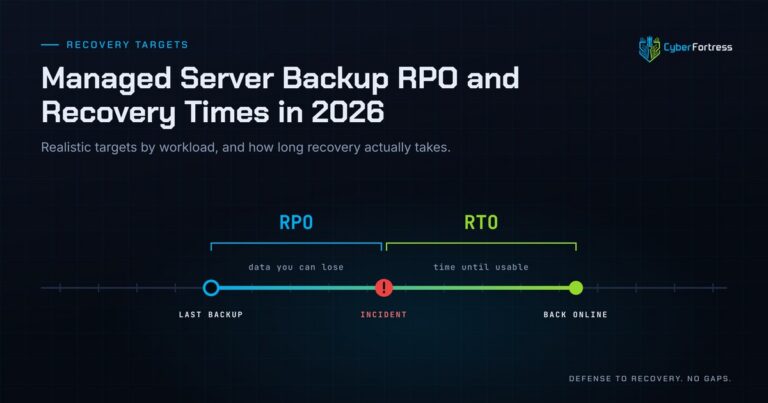
Managed Server Backup RPO and Recovery Times in 2026
For a 200-person company in 2026, a reasonable managed server backup posture is a 15-minute to 4-hour RPO…
-
Outsourcing Server Backups in 2026 Full Guide
Outsourcing server backups works when the contract covers monitoring, remediation, verified restore testing, immutable offsite storage, and assisted…
-
You Can’t Out-Patch an Attacker That Adapts in 31 Seconds
Researchers have documented what they are calling JadePuffer: a ransomware operation reportedly run end-to-end by an autonomous LLM…