How much of your SQL database can you afford to lose?

Most small businesses back up SQL Server once a night, usually because the application vendor set it up that way years ago. A nightly backup means a crash or ransomware hit at 4 pm costs a full day of transactions. LiveVault backs up a live SQL database every 15 minutes, transaction logs included, with the database online the whole time, so the most you stand to lose is about 15 minutes of work.
That is the entire argument. The rest of this post is the math, the mechanics, and what the restore looks like on the day you need it.
What does a nightly backup actually cost you?
Picture the database behind your accounting, ERP, or practice management software failing at 4:12 on a Tuesday afternoon. Corruption, a dead disk, ransomware; the cause changes nothing about what follows. The last good backup ran at 11 pm the night before. Everything since is gone: every order entered, every invoice issued, every payment posted, every appointment booked. Seventeen hours of business, erased.
The lost day is only the opening bid. Someone now has to work out what happened during those 17 hours and type it all back in, from paper, from inboxes, from memory. Staff come off revenue work for days to re-key a single lost Tuesday, and some of it never comes back: the order that was phoned in, the payment nobody wrote down. Customers get invoiced twice, or never, and both cost you. The visible outage lasts a day. The quiet damage runs for months.
Here is the uncomfortable part: this exposure was chosen. Nightly backups made sense when backing up SQL meant taking it offline, so the job ran at 11 pm and everyone lived with the gap. That constraint died years ago. The schedule outlived it, the way defaults do, because nobody gets paged for a risk that has not landed yet.
Why do so many businesses still back up SQL nightly?
Because the application vendor set it up that way during the install, and it has shown a green checkmark every morning since. The checkmark answers exactly one question: did a job run last night. It stays silent on the question that decides your bad day, which is how much of today the backup would give back.
Ask it that question directly. If the answer is “everything until last night,” you are carrying a full business day of exposure on every working afternoon, for no reason beyond an installer default nobody has re-read since.
What does “every 15 minutes” mean in practice?
LiveVault backs up the running database. No maintenance window, no scheduled downtime, no job your staff has to remember or babysit. Every 15 minutes, around the clock, the changes are captured, transaction logs included, while the application keeps taking orders.
That cadence rewrites the math of a bad day. A failure at 2:40 pm means restoring to 2:30 pm. The exposure drops from a business day to a coffee break, and it stays there on every one of the roughly 250 working days a year when something could go wrong.
How does the restore work?
Pick the point in time. Pick what comes back: the whole database, or a single table. The 2:40 corruption gets the whole database restored to 2:30. The accidental DELETE statement gets one table pulled back while the rest of the system keeps running.
How long does it take? For a typical small-business database, measure it in hours, and the trial exists so you can time it on your own data. Whatever the number is for your database, learn it before the day you need it. That is what test restores are for, and yours is included in the trial.
Where do the copies go?
Offsite, to two separate data centers, encrypted in transit and at rest; everything is replicated, so losing a facility loses nothing. If your database is large or your connection is slow, a local TurboRestore Appliance keeps a copy on site, and your biggest restores run at local network speed.
What does it cost for a one-server shop?
You pay for the size of the database, with plans starting at $10.00 a month for up to 100 GB. No per-server licensing. No punishing a small shop for being small. A one-server business pays a one-server price, and the price is on the page before you sign up.
Frequently asked questions
Do I have to take SQL Server offline for backups? No. LiveVault backs up the live, running database, transaction logs included. There is no maintenance window to schedule and no downtime to explain.
Can I restore a single table? Yes. Choose the point in time, then restore the whole database or one table. Most real restores are small and surgical: one table, one bad hour, fixed.
What happens when my database outgrows 100 GB? The price follows the data. Plans scale with the size of the database, so the bill stays proportional to what is protected.
Start with your own database
A backup you’ve never restored is just a guess. The trial exists to retire that guess.
We’d like to introduce you to Remote Data Backups, the people who will call you. They have been delivering LiveVault for 27 years, longer than most backup companies have existed at all. They are CyberFortress’s trusted managed services partner for LiveVault, and the team that sets up your trial is the same team that picks up the phone when something breaks. With backup, who answers at the worst moment matters as much as the software, and 27 years of answered calls is the reference check.
Start Your 30-Day Free Trial: no credit card. A real person from Remote Data Backups calls after you sign up, sets up your first server, and walks you through your first SQL restore before the trial ends. Time it. Write the number down. That number is your new worst case.
A backup you have never restored is a guess. Trinity turns it into proof.
Seven questions show where your recovery plan stands today. Or skip ahead and talk to a CyberFortress recovery specialist about your environment.
More from the Fortress
-

How much of your SQL database can you afford to lose?
Most small businesses back up SQL Server once a night, usually because the application vendor set it up…
-
Whose Database Is Your Data In?
FulcrumSec published roughly 8.8 million people’s data from Manchester Airports Group over the first weekend of September 2026,…
-
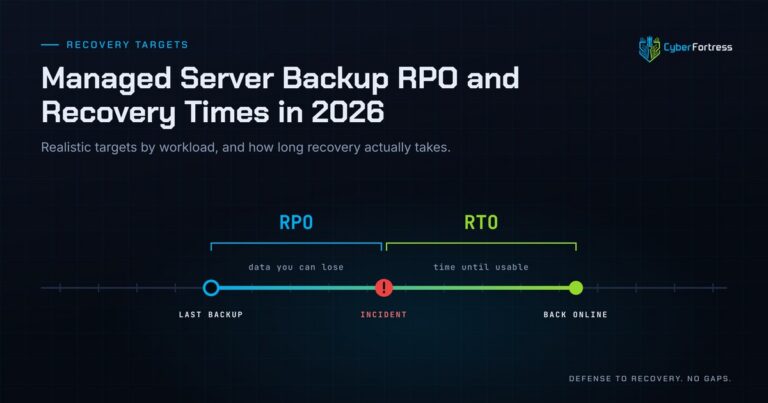
Managed Server Backup RPO and Recovery Times in 2026
For a 200-person company in 2026, a reasonable managed server backup posture is a 15-minute to 4-hour RPO…
-
Outsourcing Server Backups in 2026 Full Guide
Outsourcing server backups works when the contract covers monitoring, remediation, verified restore testing, immutable offsite storage, and assisted…