DATA PROTECTION TRENDS, NEWS & BACKUP TIPS
Steps to Strengthen Backup Resilience
Every IT leader knows that an unexpected outage can be devastating for a business. If your systems go down, whether due to a ransomware attack, an accidental deletion, or a natural disaster, the clock starts ticking on lost productivity and revenue. Studies show that just one hour of downtime can cost an SMB over $7,000 to $25,000. Even more alarming, if a small business stays closed for as little as five days after a data disaster, it has a 90% chance of failing within a year. These sobering stats underscore the importance of backup resilience, having reliable, recoverable backups and a plan to bounce back quickly.
In this post, we’ll walk through concrete steps to strengthen your organization’s backup resilience. We’ll use real-world scenarios, from ransomware encrypting servers to an employee mistakenly wiping important data or a hurricane flooding your office, to illustrate why each step matters. We’ll also highlight how leveraging services like Backup as a Service (BaaS), Disaster Recovery as a Service (DRaaS), and Backup Recovery as a Service (BRaaS) from providers such as CyberFortress can help mitigate risks and ensure faster recovery and business continuity. Let’s dive in.
1. Assess Your Risks and Requirements
Begin by evaluating what’s at stake. Identify your mission-critical data and systems, and determine your recovery objectives. How much data can you afford to lose (Recovery Point Objective, RPO) and how quickly must you recover (Recovery Time Objective, RTO) to avoid major damage? These metrics set the baseline for your backup and recovery strategy. For example, a finance database updated hourly might have an RPO of one hour, whereas less critical files could tolerate a day. Be realistic about the threats you face. A manufacturing firm might worry about a ransomware attack halting operations, while a coastal business must prepare for hurricanes. It’s concerning that 68% of small businesses lack a written disaster recovery plan. Don’t be part of that statistic. Define a clear plan that covers who does what when things go wrong. By understanding your business’s unique risks and downtime costs up front, you can prioritize investments to bolster your backup resilience where it matters most.
2. Maintain Redundant Offsite Backups (Use BaaS)
The foundation of backup resilience is having multiple, redundant backups, including copies stored offsite. The classic 3-2-1 backup rule is a great starting point. Keep three copies of your data, on two different storage media, with at least one copy off site. Onsite backups to local NAS or disks protect against everyday failures, but an offsite backup is your safety net if your primary location is compromised. After all, a fire, flood, or burglary at your office can destroy both servers and local backup drives. The only way to make sure your data isn’t permanently wiped out by a natural disaster is to have at least one copy offsite. For example, many businesses in hurricane zones have learned the hard way that a cloud backup can be the difference between recovery and closure when a storm hits.
Backup as a Service (BaaS) simplifies this redundancy. BaaS is essentially an offsite, managed backup solution. You outsource your backups to a specialized provider who securely transmits your data to their cloud infrastructure on a regular schedule. The provider maintains those backup copies so you can readily restore files or even entire systems if needed. In other words, BaaS ensures your data is safely backed up by experts without you having to wrangle tapes or portable drives. This means everyday mishaps are no longer existential threats. If an employee accidentally deletes an important document or a server crashes, you can quickly pull the data from the cloud backup. Managed BaaS solutions also typically monitor backup jobs and handle encryption, storage, and retention policies for you. The result is reliable, offsite backups that significantly improve your backup resilience by protecting data from on premises failures, human error, and site wide disasters.
3. Harden Your Backups Against Ransomware
Not all threats to your data are physical. Cyberattacks, especially ransomware, are a leading cause of data loss today. Modern ransomware gangs often target backup infrastructure as a first step of their attack. They know that if they can encrypt or delete your backups before locking your production data, you’ll have no lifeline for recovery and will be more likely to pay a ransom. Attackers have become adept at finding and exploiting connected backups, disabling backup agents, deleting volume snapshots, and altering retention policies to wipe out older copies. To outsmart these tactics, you must harden your backups with additional layers of protection.
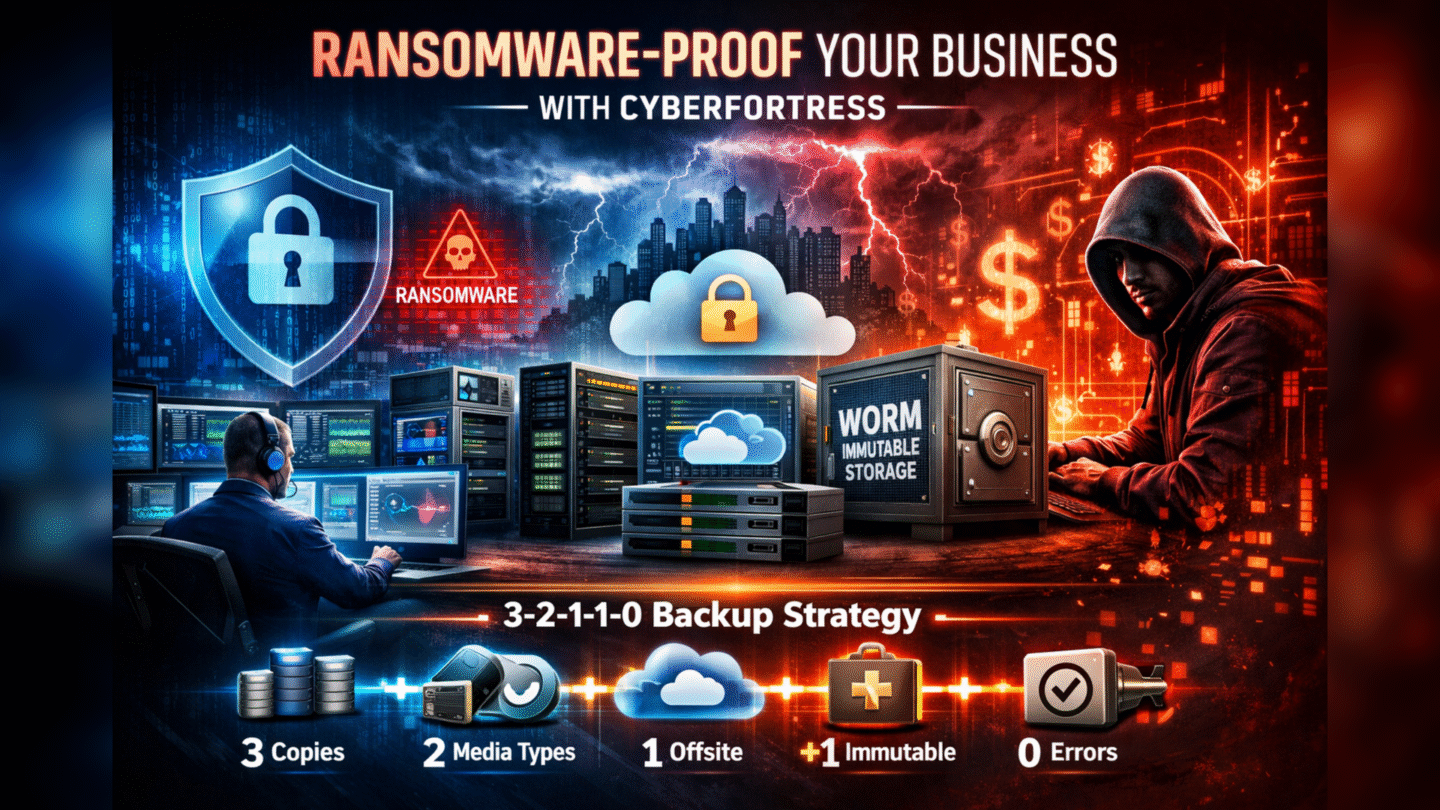
One essential measure is to maintain at least one immutable or air gapped backup copy. An immutable backup is stored on media or cloud storage that is locked against changes. Once the backup is written, it cannot be modified or deleted until a set date. This protects that copy from malware or even an internal rogue user. For instance, if ransomware infiltrates your network, it might trash your accessible backups on a disk array, but an immutable backup in the cloud or on write once media will remain safe and recoverable. Similarly, an offline backup, one stored off the network even if on a USB drive or tape kept in a vault, can’t be reached by an online attacker. Incorporating these ideas, data protection experts have evolved the traditional 3-2-1 rule into a 3-2-1-1-0 strategy for maximum backup resilience. This approach means three copies of data, on two different media, one offsite, one immutable or offline, and zero backup errors. The extra one and zero directly address ransomware threats and reliability. You ensure at least one copy is tamper proof, and you regularly verify backups so there are zero errors or surprises when restoring.
To put this into practice, work with your IT team or BaaS provider to enable features like immutable cloud storage or WORM, write once read many, media for critical backup sets. Segment your backup environment from your main network. Use dedicated credentials and MFA so that even if primary systems are breached, the attackers can’t easily access backup repositories. Many cloud backup services now offer built in ransomware defenses, for example monitoring backups for unusual encryption activity or allowing you to lock backups for a period of time. By hardening your backup strategy in these ways, you ensure that even a sophisticated cyberattack cannot eliminate your last line of defense. The payoff is peace of mind. Even if ransomware strikes, you have a clean, intact backup from which to restore instead of starting from scratch.
4. Prepare for Major Disasters with DRaaS
Having reliable backups is only half the battle. You also need a way to restore operations quickly when a serious crisis hits. If a flood, fire, or other disaster wipes out your primary servers, or a ransomware attack brings down your entire network, restoring from backups could be a slow process. In traditional scenarios, you would need to procure new hardware, reinstall systems, then load your data from backups while downtime ticks on. This is where Disaster Recovery as a Service (DRaaS) comes in, acting as a fast track to business continuity. DRaaS providers continuously replicate your critical servers and systems to a cloud environment so that if your primary site goes down, you can fail over to the cloud copy almost immediately. In plain terms, DRaaS is like having a hot standby data center provided by a third party, ready to take over at a moment’s notice.
For example, imagine a regional power surge knocks out all the equipment in your office, or a hurricane floods your on premises data center. With DRaaS, you could launch your most important applications in the provider’s cloud and keep serving customers, often within minutes or hours, rather than the days it might take to recover from backups on new hardware. Because DRaaS keeps an updated mirror of your systems, often using frequent replication or journaled changes, the data loss is minimal and the recovery time is dramatically shorter than restoring everything from scratch. Every minute of downtime matters, not just financially but also for your reputation, and DRaaS is designed to shrink downtime to the absolute minimum by getting you running again in a secondary environment.
CyberFortress’s managed DRaaS, for instance, is built on Veeam replication technology and overseen by recovery experts. In the event of a disaster, their team can orchestrate one click failover of your systems to a secure cloud, handling all the networking and infrastructure complexities in the background. This kind of service is invaluable in a crisis. You’re not just getting the technology, but also experienced professionals who have handled full recoveries before. When fire, flood, or ransomware strikes, having DRaaS means your business can keep running on a parallel infrastructure while you sort out the primary site. Many small and mid sized firms simply can’t afford a second data center or maintain duplicate hardware for emergencies, but with DRaaS you effectively rent that preparedness as a service. By incorporating DRaaS into your resilience strategy, you address the worst case scenarios head on and ensure that even a large scale disaster isn’t a business ending event.
5. Regularly Test and Validate Your Recovery (Build Business Resilience)
Having backups and a recovery plan on paper won’t help if they don’t actually work when needed. It’s critical to regularly test your backups and disaster recovery procedures. Far too many organizations fail to do so. In fact, many businesses never test their backups at all, and among those that do test, a large share have encountered backup failures during recovery. In other words, a lot of companies get unpleasant surprises when they attempt to restore data under pressure. You don’t want the first restore attempt to be during a real crisis only to discover the backups were incomplete or corrupt. Regular testing can catch issues like a database backup that has been failing silently, or a critical system that isn’t included in the DR plan. A real world example involved a financial institution that thought their data was safe, but an undetected corruption in their backup files meant that when a failure occurred, the backup was unusable, leading to significant data loss and downtime. The lesson is clear. Your backup is only as good as your last successful restore test.
Make it a habit to perform fire drills for IT. For backups, this could mean restoring a random file or system from backup storage on a monthly basis, and doing a full scale recovery rehearsal quarterly or twice a year. Verify not just that data can be retrieved, but that recovered systems boot up and applications run correctly. Document any issues and update your processes accordingly. Similarly, for disaster recovery, you should periodically initiate a failover to the DR environment in a controlled test and ensure your team knows the steps to switch operations over and back. These tests validate your RTO and RPO assumptions and build confidence that you can meet them if an incident occurs. They also help train your staff and reveal gaps. Maybe a newer critical application wasn’t being replicated, or a key person isn’t sure how to invoke the DR plan. It’s much better to find and fix those issues in a test than during a real emergency.
To ease this burden, consider leveraging Backup Recovery as a Service (BRaaS) offerings. BRaaS is an integrated service that combines managed backup and on demand recovery, with an emphasis on continuous readiness. For instance, CyberFortress’s BRaaS leverages your offsite backups and can spin up recovery infrastructure on demand when you need it. What makes it stand out is the ability to perform regular, automated recovery tests, effectively doing those DR drills for you on a schedule, and to provide reports that certify your recoverability, which is useful for compliance audits. With such a service, you get the assurance that backups are not only intact but also instantly usable in a pinch. In fact, with one click failover orchestration, BRaaS can help achieve recovery times in hours instead of weeks, keeping your operations running even in the face of ransomware attacks or hardware outages. The takeaway here is that backup resilience isn’t a set it and forget it effort. It’s an ongoing process of testing and improvement. Whether manually or with a managed service, make sure you regularly prove that you can restore your data and systems. By cultivating this discipline of testing and updating your recovery playbook, you’ll avoid unpleasant surprises and ensure that when disaster strikes, your business can switch gears smoothly and continue on.
Conclusion
In today’s threat filled IT landscape, backup resilience is essential for SMBs and mid market companies alike. By following these steps, assessing your risks and needs, keeping multiple offsite backups with help from BaaS providers, hardening those backups against cyber threats, leveraging DRaaS for quick failover in major disasters, and rigorously testing your recovery capabilities, you build a strong safety net for your business. The common failure scenarios we discussed, ransomware locking both live data and backups, accidental deletions, natural disasters destroying equipment, don’t have to be fatal to your operations. With the right preparation, any incident can become a brief inconvenience rather than an existential crisis.
Modern services like CyberFortress’s BaaS, DRaaS, and BRaaS are valuable tools in this journey, providing expert managed solutions to ensure your data is not only backed up securely but also recoverable at a moment’s notice across a range of situations. The ultimate goal is confidence, knowing that no matter what comes your way, your company can recover its data, restore critical systems, and keep serving customers with minimal disruption. By investing in backup resilience now, you’re investing in the continuity and longevity of your business, turning worst case scenarios into manageable IT hiccups. In short, identify your gaps, fortify your weak points, and make recovery a certainty, not a question, for your organization. Contact us to start a discussion.