Is NAS Enough for Backup and Ransomware Protection?
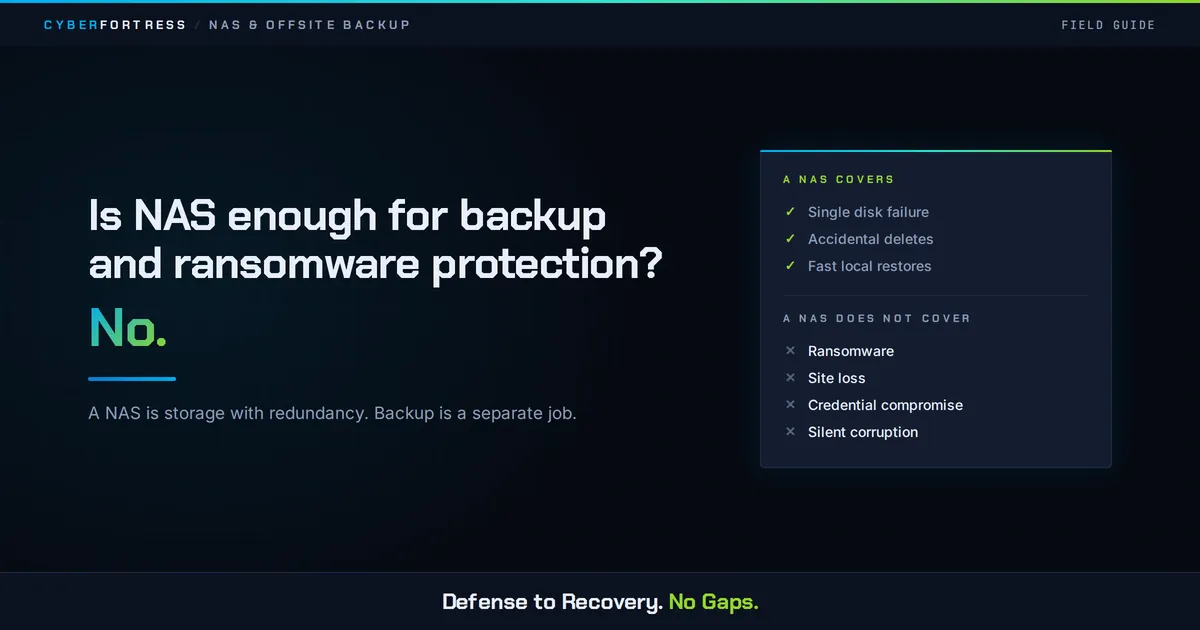
No. A NAS is storage with redundancy, and backup is a separate job. It protects against a single drive failing and gives you fast local restores through snapshots, and it sits on one network, under one set of credentials, in one building. Ransomware, deletion, and site loss all defeat it.
What does a NAS genuinely protect against?
Give it credit for three things. RAID keeps you running when a disk dies. Snapshots let you undo an accidental deletion or a bad save in seconds. Centralized storage stops important files from living only on laptops.
Those are real benefits, delivered reliably, and they are why NAS adoption keeps growing. They are also why so many teams stop shopping right there.
What does a NAS not protect against?
Ransomware, because mapped shares are the first target and NAS admin credentials can usually delete snapshots.
Accidental deletion beyond the snapshot window.
Controller, firmware, or power events that take the whole array down at once.
Theft, fire, flood, and any other event that reaches the physical location.
Silent corruption that propagates into every replicated copy.
Configuration drift, where new shares are created and never included in any protection policy.
The walls will be breached. Check the news. The question this page exists to answer is what survives the morning after.
Why does the RAID misunderstanding persist?
Because redundancy and recoverability feel like the same thing. RAID answers “what if a component fails.” Backup answers “what if the data is wrong, gone, or encrypted.”
A five-bay NAS with two parity disks is impressively resilient against exactly one category of problem. The hardware is so obviously serious that it never occurs to anyone to ask what it does not cover.
What does adequate protection look like?
Keep the NAS as your primary shared storage and fast-restore tier. Add a backup copy on separate hardware, an immutable offsite copy that the NAS cannot delete, and a restore test on the calendar.
That structure satisfies the 3-2-1-1-0 principle: three copies, two media types, one offsite, one immutable, zero errors after verification.
How do you know whether your current setup is enough?
Answer three questions honestly. If an attacker had your NAS admin password tonight, what would still exist tomorrow? If the building were inaccessible for a week, what could you restore and from where? When did someone last recover a real share and time it?
A setup that cannot answer all three is storage with good intentions.
Frequently asked questions
Is a second NAS a backup? It is a second copy, which is better than one. If it shares credentials, a network, or a location then it shares the same risks. Keep it but still add an isolated offsite copy.
Do QNAP and Synology include ransomware protection? Both offer useful features such as immutable snapshots and cloud sync options. Both benefit from an independent backup target.
Is cloud sync from a NAS the same as backup? No. Sync mirrors the current state, so encrypted or deleted files propagate. Backup keeps point-in-time copies you can return to.
Next Step
CyberFortress adds the layer a NAS cannot provide for itself: an immutable copy outside your credential boundary, watched around the clock, with 99.99% recovery success behind it.
A backup you have never restored is a guess. Trinity turns it into proof.
Seven questions show where your recovery plan stands today. Or skip ahead and talk to a CyberFortress recovery specialist about your environment.
More from the Fortress
-
Whose Database Is Your Data In?
FulcrumSec published roughly 8.8 million people’s data from Manchester Airports Group over the first weekend of September 2026,…
-
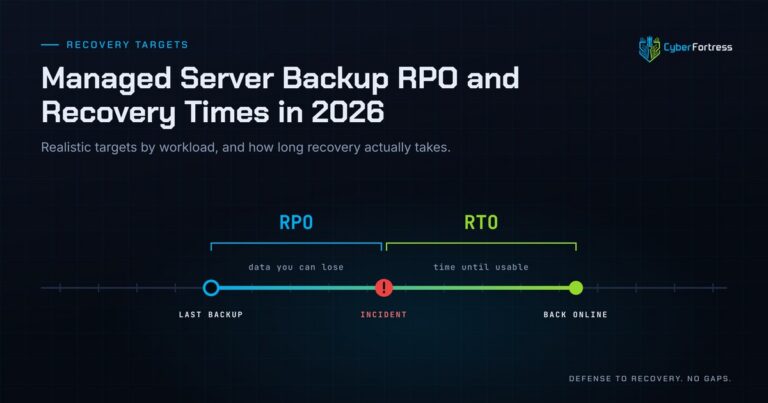
Managed Server Backup RPO and Recovery Times in 2026
For a 200-person company in 2026, a reasonable managed server backup posture is a 15-minute to 4-hour RPO…
-
Outsourcing Server Backups in 2026 Full Guide
Outsourcing server backups works when the contract covers monitoring, remediation, verified restore testing, immutable offsite storage, and assisted…
-
You Can’t Out-Patch an Attacker That Adapts in 31 Seconds
Researchers have documented what they are calling JadePuffer: a ransomware operation reportedly run end-to-end by an autonomous LLM…